
By Dan · December 7, 2025
The iPhone–Watch Sync War Story (and Why We Test Through the iPhone)
If you build an Apple Watch app that talks to an iPhone app, you will spend more time on the boundary between them than you expect. WatchConnectivity, the framework Apple gives you for it, works — and it is also flaky, in ways that do not show up until real users are running your app.
This is the better part of a year spent wrestling with that boundary. The short version: we mostly got it working, mostly by retreating to a simpler architecture than the documentation suggests; and we still develop almost everything through the iPhone simulator, because debugging on a real watch is hard enough to change how you work.
What sync has to move
For Run Plan, four things: a new or changed plan from the iPhone to the Watch; a moved, swapped, or cancelled workout, agreed on both sides; a finished workout from the Watch back to the iPhone; and settings — language, units. Kilobytes per change, not megabytes. Next to apps syncing messages or photos, our surface is tiny. This should be the easy case for WatchConnectivity. It mostly was, until it wasn’t.
The whole framework hides behind one shared session, and the activation dance is small enough to show in full:
import WatchConnectivity

// Activated once at app launch. The session is nil on iPad,
// where there's no companion watch to talk to.
private let session: WCSession? =
    WCSession.isSupported() ? WCSession.default : nil

private override init() {
    super.init()
    session?.delegate = self
    session?.activate()
}
Same six lines on both sides. Then every primitive — sendMessage, updateApplicationContext, transferUserInfo, transferFile — is a method on that one WCSession. The interface is small. The behaviour is where everything subtle lives.
Five ways to say “probably delivered”
Apple gives you five ways to move data between iPhone and Watch. They have lovely names, they all behave slightly differently, we have used all five, and we have reverted decisions on three.
The application context is a small key-value blob, latest-wins — and it drops silently if the payload is too big, which we learned the hard way. Transfer-user-info is queued and delivered eventually, but out of order if delivery is interrupted, and that last part matters. Send-message is synchronous and needs both apps awake and reachable. File transfer is for the big payloads, queued like user-info. And HealthKit syncs workout data across devices on its own schedule — not WatchConnectivity at all, but for fitness data it is a fifth, slower channel.
Phase one: send-message everything
The first version, in the summer, was the obvious one: whenever the user changed something on the iPhone, encode the plan and push it with send-message; the Watch decodes and updates its store. It worked beautifully in development, with both apps awake and on screen. With the small group of friends testing it for us — running the app on their actual wrists, in actual life — it barely worked. Send-message needs both apps reachable, and usually they are not: the watch is asleep, the phone is in another app, iOS suspended the extension hours ago. People changed their plan in the evening, looked at the watch in the morning, and saw last week. The feedback was rarely a clean bug report; it was “the watch is stuck” or “did sync stop again?” — vague enough that the underlying cause took us weeks to triangulate, and we lost a lot of testers’ patience while we did. Send-message is for now-data, not for replicating state.
Phase two: context plus queue
The second approach used the application context for the latest plan state, atomic and last-write-wins, and the user-info queue for incremental changes. Closer to right: the context survives the app sleeping, so the watch gets the latest state when it wakes, and the queue survives too. But two new problems.
The first was size. The context’s limit is undocumented and the failure mode is silent — in practice it caps out around 256 KB, and an oversized payload simply disappears with no signal. We added a soft check that falls back to a file transfer well before the cap:
// updateApplicationContext caps fuzzily around 256KB in practice.
// 200KB triggers transferFile, which has no practical size limit.
// Rare in the steady state — a marathon plan is well under 100KB —
// but worth catching before the framework eats the payload.
private static let payloadFallbackThreshold = 200 * 1024

if data.count > Self.payloadFallbackThreshold {
    sendViaTransferFile(workouts: data, etag: etag, count: count, on: session)
    return
}
The second was schema drift. The two sides were encoding the plan with slightly different versions of our model, so a field renamed on the iPhone but not yet on the watch broke decoding silently — the watch received the payload, failed to read it, and a friend who was testing for us asked why his plan had vanished from the wrist. We started stamping every payload with a schema version so the watch could refuse something it could not read instead of failing quietly:
// Bump on any wire-incompatible payload change. The receiver refuses
// payloads with a higher version than it supports and logs clearly,
// so a model change never silently drops fields.
enum SchemaVersion { static let current = 1 }

let payload: [String: Any] = [
    "v":         SchemaVersion.current,
    "type":      "push_workouts",
    "workouts":  jsonEncodedData,
    "etag":      etag,
    "count":     workouts.count
]
Phase three: where we live now
After several rounds the architecture settled into two channels. From the iPhone to the Watch: small changes through the application context, large ones through a file transfer. And — the part that took longest to accept — the watch applies them by wiping its local copy and rewriting it, rather than updating in place. We tried incremental updates first; they crashed the watch’s data store under certain races, and the atomic wipe-and-rewrite, less efficient, turned out to be far harder to get wrong. From the Watch to the iPhone: the watch can ask for the current state directly, which matters when the watch app launches fresh and nothing has recently been pushed.
The push itself is two writes against the same WCSession, in order, with the durable one first:
// 1) Durable: coalesces, persists, delivered on the next watch wake-up
//    even if the watch is unreachable right now. If anything goes
//    through, it goes through here.
do {
    try session.updateApplicationContext(payload)
} catch {
    log("updateApplicationContext failed: \(error.localizedDescription)")
}

// 2) Fast path: instant when the watch is reachable. Retried on a
//    small backoff (1s, 3s, 7s) on transient failure. If this never
//    succeeds, the applicationContext above is the safety net — the
//    receiver dedups by etag, so duplicate sends are no-ops.
if session.isReachable {
    session.sendMessage(payload, replyHandler: nil) { error in
        // log, schedule retry, give up after three attempts
    }
}
The shape is: try the durable path always, try the fast path when the framework says we can. Neither is allowed to assume the other failed or succeeded. The receiver is what makes that safe — it dedups identical payloads by etag, so a duplicate that arrives by both channels is a no-op the second time.
On the watch, the same payload arrives through whichever channel got there first. Each WCSessionDelegate callback is one channel, and we funnel all of them into the same handler so the etag and schema-version checks apply uniformly regardless of how the bytes got in:
extension PhoneConnectivityManager: WCSessionDelegate {

    func session(_ session: WCSession,
                 activationDidCompleteWith state: WCSessionActivationState,
                 error: Error?) {
        log("Activated. reachable=\(session.isReachable)")
    }

    func sessionReachabilityDidChange(_ session: WCSession) {
        log("Reachability changed: \(session.isReachable)")
        // Drives a UI indicator + retries any pending request to the phone.
    }

    // Channel 1: durable applicationContext snapshot.
    func session(_ session: WCSession,
                 didReceiveApplicationContext context: [String: Any]) {
        handleIncomingPayload(context, source: "applicationContext")
    }

    // Channel 2: instant sendMessage push.
    func session(_ session: WCSession, didReceiveMessage message: [String: Any]) {
        handleIncomingPayload(message, source: "message")
    }

    // Channel 3: large-payload fallback (transferFile from the iPhone).
    func session(_ session: WCSession, didReceive file: WCSessionFile) {
        defer { try? FileManager.default.removeItem(at: file.fileURL) }
        guard let data = try? Data(contentsOf: file.fileURL) else { return }
        // Reconstruct a payload dict equivalent to the inline path so the
        // etag/version checks below behave identically.
        handleIncomingPayload(reassemble(data, metadata: file.metadata),
                              source: "file")
    }
}
handleIncomingPayload is the only place that writes to the watch’s local store. It refuses payloads whose SchemaVersion it does not recognise, short-circuits on a matching etag, and on success sends a small ack back so the phone can show “last synced X seconds ago”.
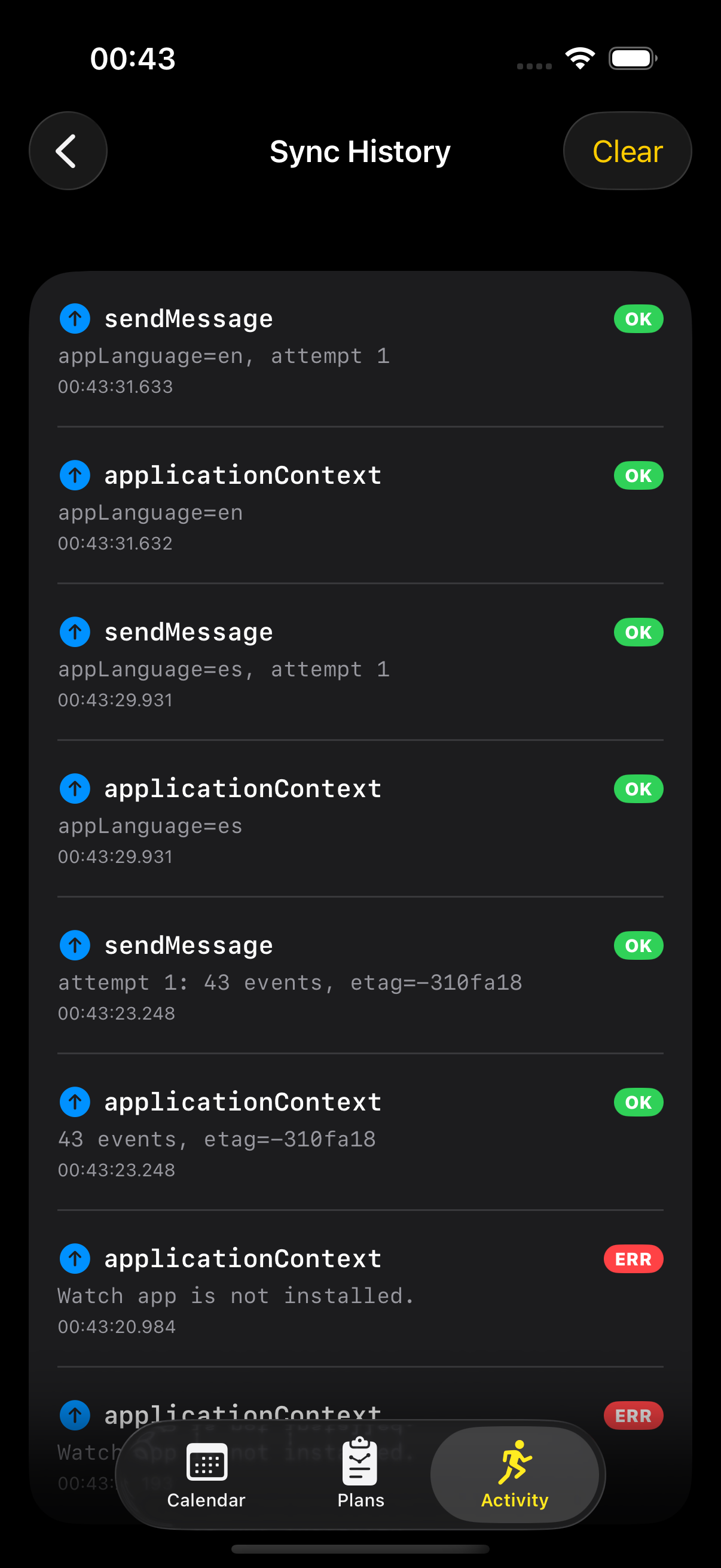
To watch all of this happening we also added a hidden Sync History screen on the iPhone — a 50-entry ring buffer in DEBUG builds that logs every sendMessage and updateApplicationContext call with its result. We spent six months guessing whether a payload had left the building; once we built this screen we stopped guessing.
This is more complex than we wanted. Every piece of it is there because something simpler went wrong.
Why we test through the iPhone
The practical reality of the three environments. The iPhone simulator launches fast, is fully debuggable, and gives a five-second iteration loop. The Watch simulator on its own is fine — the awkward part is the WatchConnectivity link between the two simulators: it works, but it is finicky, occasionally drops, and lies about timing in ways real hardware does not. The real watch is the only thing you can trust for sync behaviour, but builds take two to five minutes to install, wireless debugging drops constantly, and it is slow enough that you avoid it unless you must.
There is also a rumour that the senior people working on this stuff put the watch, the iPhone, and the laptop inside a Faraday cage so the radio environment is quiet enough for the sync layer to behave consistently. We have heard it from more than one experienced iOS-and-watchOS developer and not yet had the discipline to verify it. We have not gone that far. Yet.
So we develop in the iPhone simulator, do Watch-specific UI in the Watch simulator while remembering that some of it lies, and take anything touching sync or workout-time performance to the real watch in slow, batched sessions. A single round-trip there takes five, ten or fifteen minutes, so we do not iterate on sync — we gather up a batch of changes and test them all at once. This is not the workflow Apple’s documentation recommends. It is the one that is sustainable for two people with one watch between them.
What we actually learned
A few things, the hard way. The simulator pair cannot be trusted for sync in either direction — messages that work there fail on devices, and the reverse — so the only test that counts is a real iPhone and a real watch, both paired, both in the state you care about.
The application context is latest-state-wins, which is easy to forget: we had a bug for weeks where several places each wrote the context when a plan changed, each overwriting the last, until we funnelled every write through a single method.
The user-info queue delivers in best-effort order, so if “added workout A” and “deleted workout A” arrive reversed, the watch ends up deleting something it never had. That is the real reason we model sync as state replication rather than a sequence of operations: send the whole current state, let the watch overwrite to match, and there are no ordering bugs left to have.
A few more. WatchConnectivity does not crash when there is no paired watch — it quietly does nothing — so you check that a watch is paired and reachable before relying on it, rather than leaving the user staring at a feature that silently fails.
Some paths need the iPhone app actually running: if iOS has suspended it, the watch’s request for the latest state fails, and the honest fix was to tell users that if sync seems stuck, open the iPhone app first.
And iOS suspends the phone app aggressively to save battery, which we have no clean answer for — sync is best-effort, not instant, and we say so plainly rather than pretend otherwise.
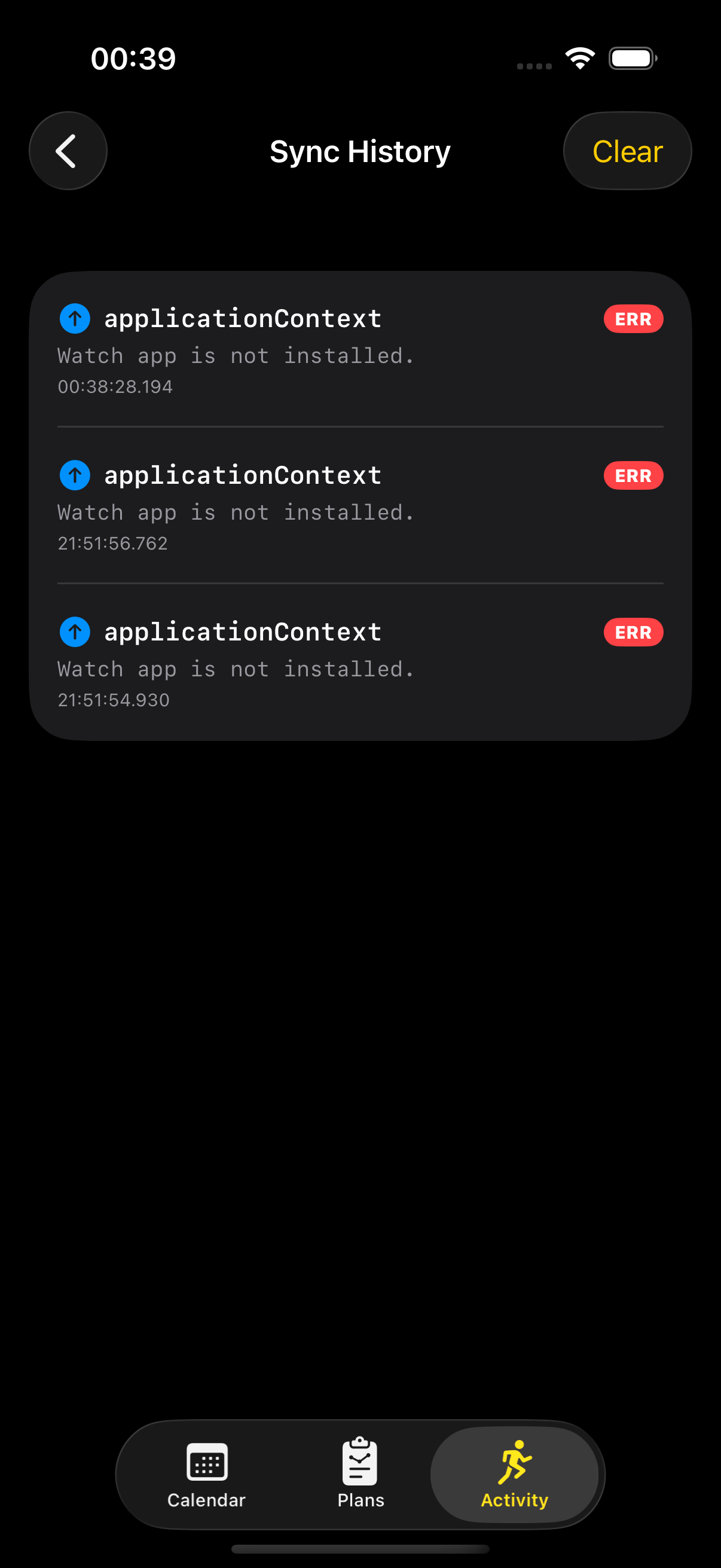
And the reason that “not installed” state appears at all is something that happens before our code is asked to run: the Watch app on the iPhone occasionally refuses to finish installing companion apps. The download spinner runs, the percentage either does not move or never reaches 100, and the app simply does not arrive on the wrist. We believe this is on Apple’s side rather than anything in our build — we have not found a code change that affects it, and we have heard the same symptom from other indie developers shipping watchOS apps. The workaround we land on every time, for ourselves and for testers, is to put the watch on the same WiFi network the iPhone is using. The install usually finishes within a minute or two of that, and the WatchConnectivity layer we have spent this whole article describing has something to talk to again. This is the part of the boundary we have not figured out how to control. It sits at the top of the list of things we will gladly fix the moment we do.
The biggest lesson
Bigger than any individual fix in this article is the framing it took us a year to admit. Reliable iPhone–Watch connectivity is not a feature of an iPhone + Watch app. It is the backbone. When it works, everything else in the product holds together. When it does not, the user is lost: their wrist disagrees with their phone, they cannot tell why, and they are left with two equally bad responses — tap every button they can find to “fix” it, or wait for the app to repair itself in the background, hoping a notification eventually confirms it did. The early version of Run Plan asked our friends-as-testers to do both, often in the same week. It was terrible.
We had been thinking of sync as plumbing. It is not plumbing — and on these two devices it is the part most likely to be wrong. Once we accepted that and started investing weeks at a time into it, the user-perceived behaviour changed in a way no single feature ever did. The retries with backoff, the dual-channel write, the schema-version stamp, the user-visible Sync tab, the watch’s ack back to the phone — each piece feels like over-engineering for a few kilobytes. The difference is between an app that mostly syncs and an app that feels synced, and from the user’s seat that is the only distinction that matters.
It is much more usable now. There is still room: the install-hang we mentioned, the occasional dropped reachability, the WatchConnectivity moments where the framework simply takes its time and we have no recourse. But the day-to-day path — change something on the phone in the evening, wear the watch in the morning, find the new plan there — is the common case now, not the exception. Six months ago we could not have said that.
If you are about to do this
Model sync as state replication, not a sequence of operations: atomic latest-state is much harder to break than ordered messages, and wipe-and-rewrite beats clever in-place updates. Test on real paired hardware from the start, because the simulator pair lies in both directions. And make sync recoverable — a manual trigger, a visible status — and do not pretend it is seamless, because it is not.
If you are looking at WatchConnectivity for the first time and feeling overwhelmed — that is normal. It is a flaky framework, and you are not missing something obvious.
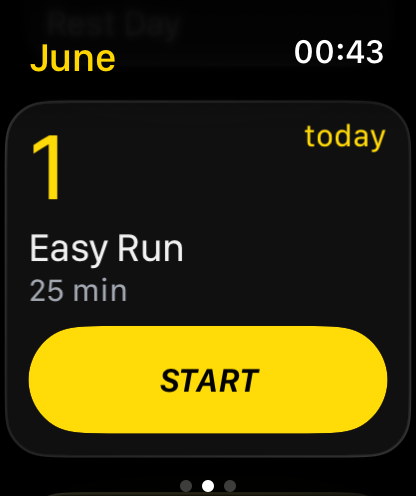
Run Plan is an indie iOS + Apple Watch training planner built by a 2-person team in Amsterdam. No accounts, no ads, no subscription — every plan is free for now. Your data stays on your device.