
By Dan & Katya · April 26, 2026
How RunPlan Decides What You Should Run Tomorrow
The API wall — what the docs don’t tell you
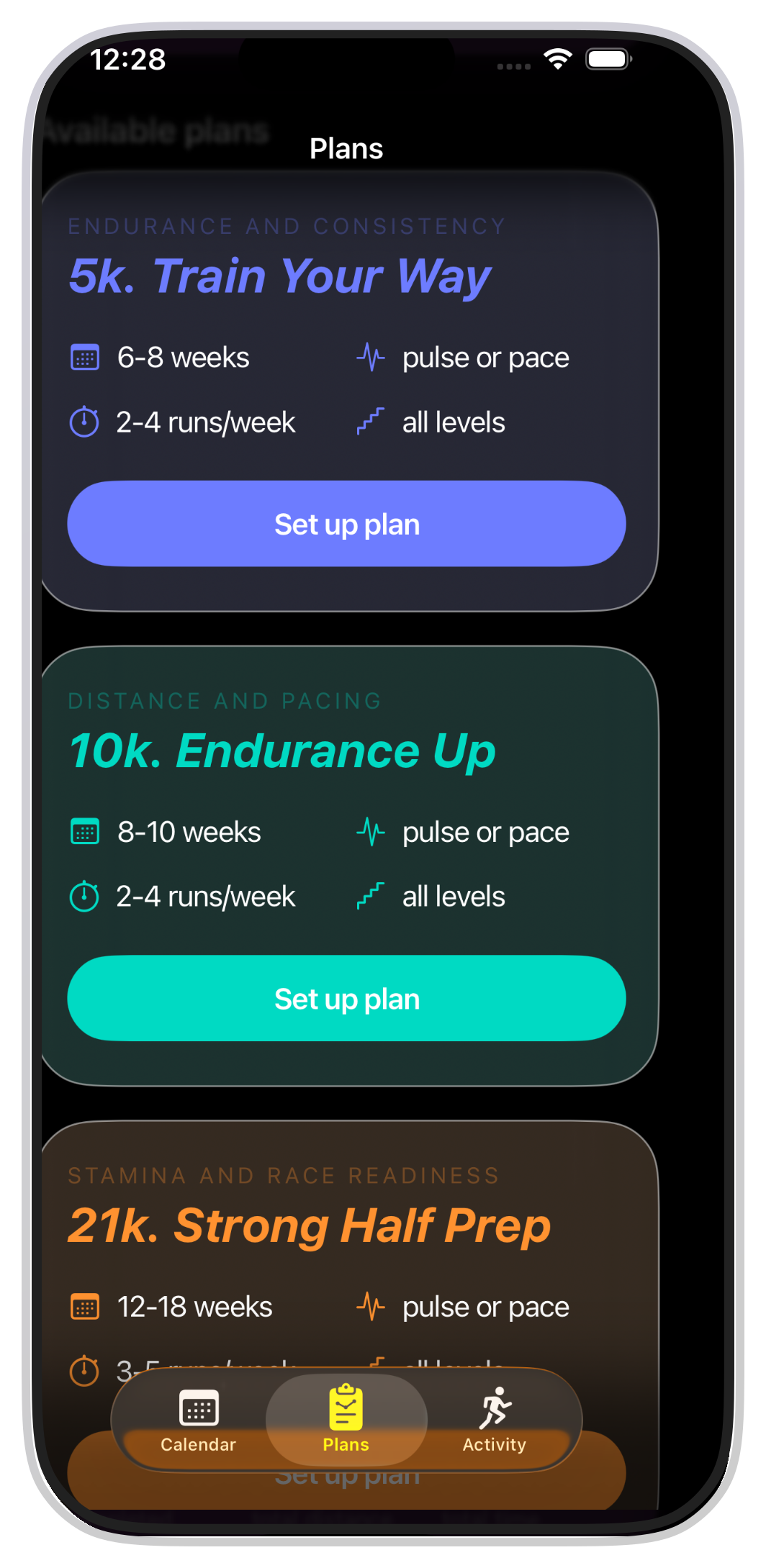
Apple has exactly one API for structured workouts — WorkoutKit, iOS 17 — and it’s a drop-box. You compose the intervals, hand them to Apple’s Workout app, and your involvement ends: Apple’s screens, Apple’s alerts, nothing back until HealthKit files the result. We learned this two weeks into the build, looking for the call that would push our plan onto the runner’s Watch as a real, coached workout. The call exists; the coaching doesn’t. If you want live zone targets, audio cues, haptics — if you want to be the coach during the run — you build your own Watch app on HealthKit’s lower-level primitives. From scratch.
Garmin has the full version of this API. It sits behind a business-only developer program — application, approval, commercial terms — and building your own in-run experience on a Garmin watch means Connect IQ and a proprietary language called Monkey C. Technically available; not aimed at two people prototyping on weekends.
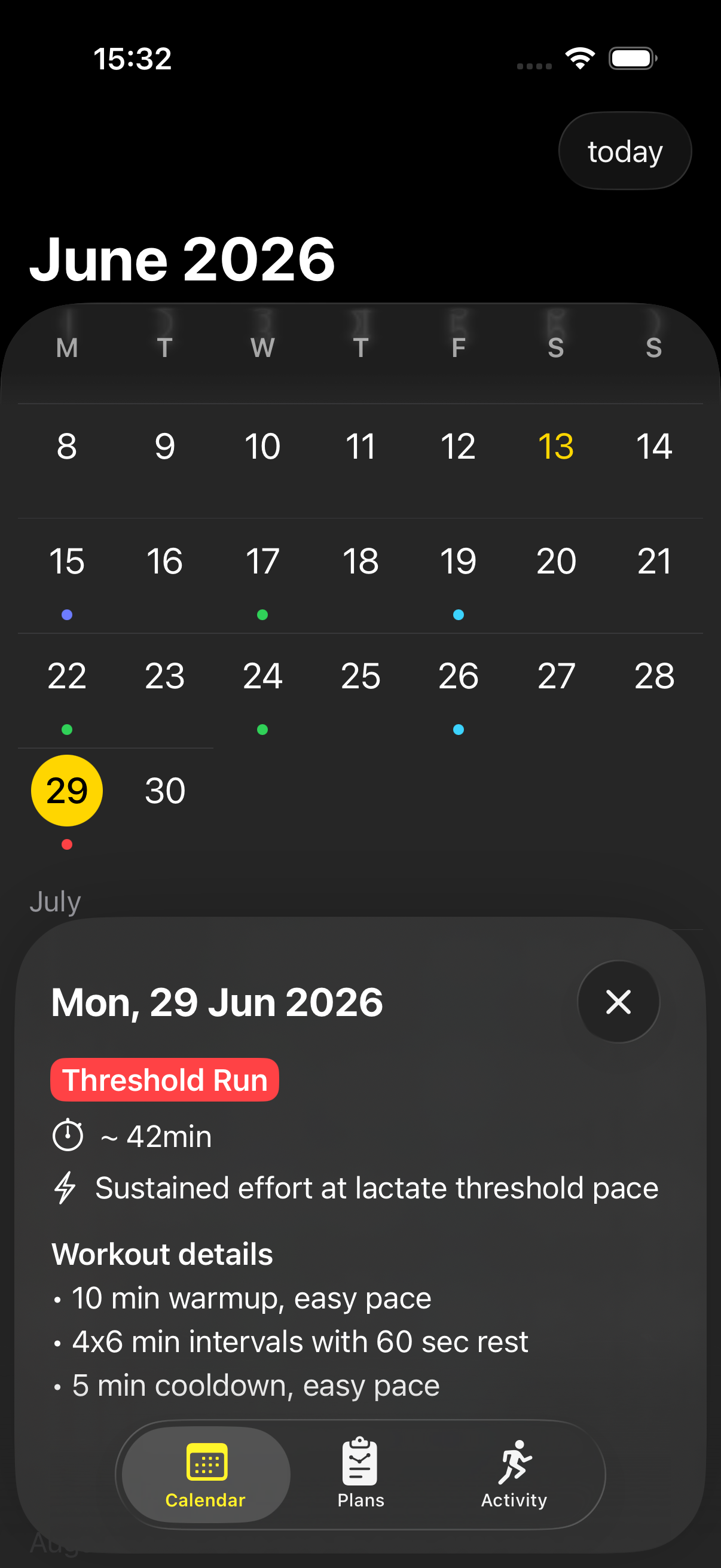
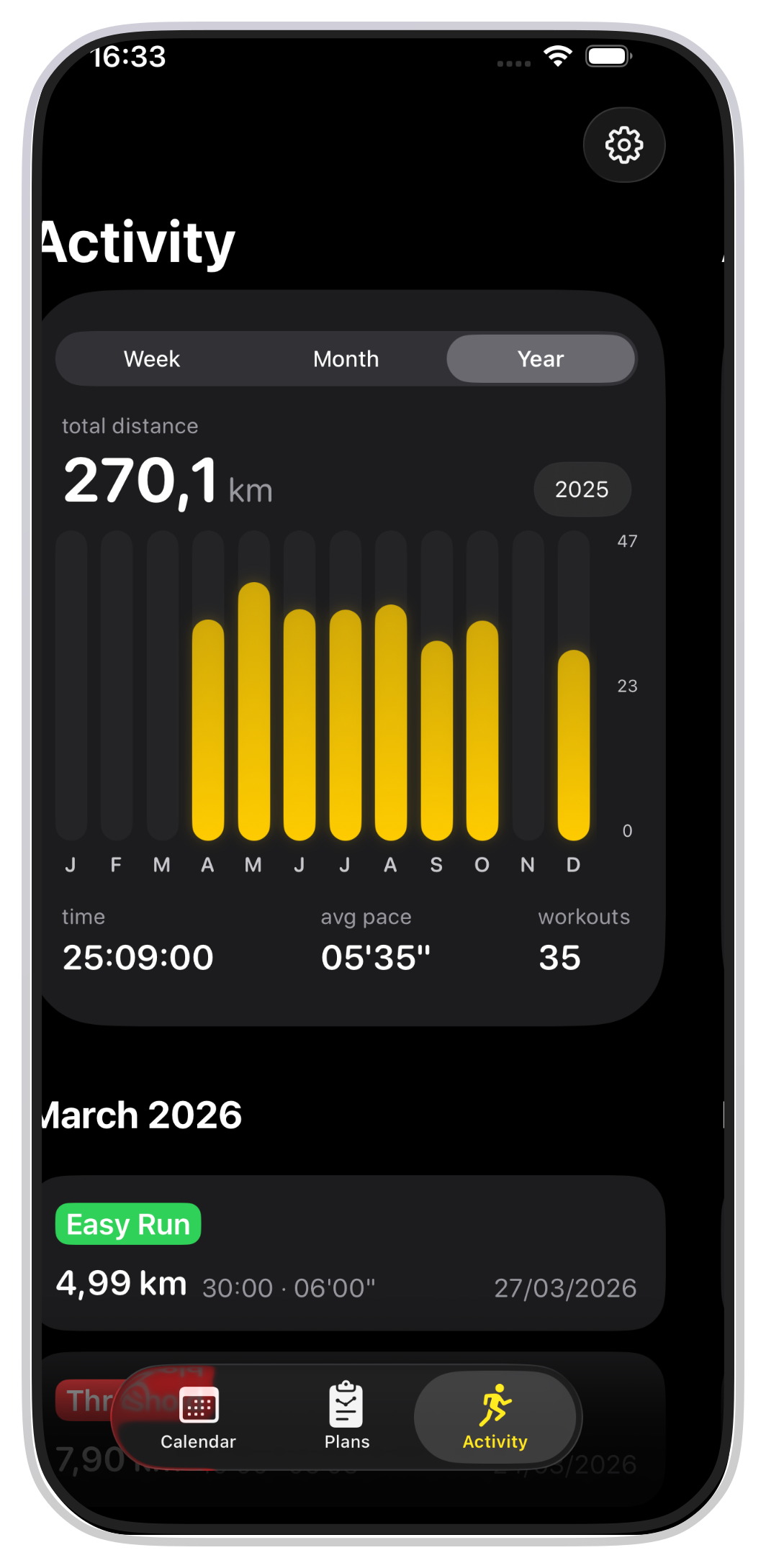
So the actual scope: a full Watch app. Plan generation, GPS, heart rate, audio cues, iPhone↔Watch sync, save everything back to HealthKit so it shows up next to the runner’s other workouts. Sixteen months in, we have an app, no backend, and a working understanding of why so few have built this in the Apple ecosystem.
What follows is the engineering writeup: the architecture decisions that aged well, the ones we reverted, and the parts that turned out to be genuinely hard. The plan engine at the centre of it is now open source — TrainingPlanKit, MIT-licensed — so where this gets into how plans get built, you can read the actual code.
What was actually hard
We estimated two to three months. Two of us, both with day jobs, evenings and weekends. The thinking was: SwiftUI has calendars, ChatGPT can produce a marathon plan from three sentences, Apple Watch has structured workouts — surely there’s an API for that. Three months felt generous.
Sixteen months later, here is what aged from that list:
The calendar was not hard. The plan generation was not hard, once we stopped trying to use ChatGPT for it (chat-prompted plans look correct and quietly violate every periodization rule there is). The Watch app was hard. The iPhone↔Watch sync was harder. Data architecture took several rewrites. GPS pace handling took two months and ended in a revert (the Kalman filter story). One UI bug took eight months to find (the 8-month bug). The two-to-three-month estimate was wrong by about five times. The project is more interesting than the original premise, which is what indie projects always are.
What makes a real training plan
Most “training plans” in fitness apps are a list of workouts strung together. A real plan does three things at once:
1. Phases. Base → speed → peak → taper. Each phase has a different goal biologically. Skip one and the rest doesn’t work.
2. Progressive load. Stress increases, then plateaus, then increases again. Too flat → you don’t adapt. Too steep → you get injured. The curve is not linear.
3. Workout variety with intent. Easy runs build aerobic capacity. Thresholds raise your lactate ceiling. Intervals build VO2 max. Long runs build endurance. Race-pace runs build specificity. Each does a different thing in the body, and a good plan uses them in the right proportions at the right times.
Mess up any of these and you get something that has the shape of a plan and doesn’t actually make anyone fitter. Most generated plans — whether they come from app templates or an LLM prompt — fail on the second or third dimension. The output is workouts on days, varied names, plausible numbers, no underlying structure. Periodization is missing. The load curve is flat or random. The easy-hard split drifts wherever the model’s training data drifted.
RunPlan is not LLM-generated. The engine is deterministic Swift that takes your inputs and runs them through Jack Daniels’ tables, Hal Higdon’s volume curves, and Pete Pfitzinger’s phase structures. LLMs are useful for a lot of things. Generating an 18-week marathon plan from a chat prompt is not one of them.
Phase-based periodization
BASE → SPEED → PEAK → TAPER → RACE DAY
| Phase | Goal | What changes |
|---|---|---|
| BASE (~25%) | Aerobic foundation | Easy runs + one long run |
| SPEED (~25%) | Introduce intensity | Intervals, ladders, threshold |
| PEAK (~40%) | Race-specific fitness | Race-pace work, longest runs |
| TAPER (~10%) | Sharpen + recover | Volume −30–50%, intensity kept |
| RACE | The race | Almost-rest before the goal effort |
That split is for a marathon. Shorter races spend more of the plan in SPEED and less in PEAK — same skeleton, different weighting.
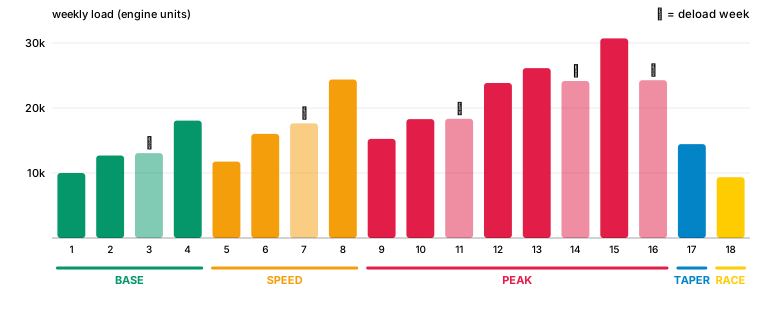
Inside each phase, load goes up — but not in a straight line. Every 3rd week is a recovery week with ~15% lower load — build two, absorb one. Your body adapts during the recovery, not during the load.
For each week the engine computes:
- Target load (phase + week-in-phase + your level)
- Target duration (scaled the same way)
- Is this a recovery week? (every 3rd, plus phase-end deload)
- If so, does a session get dropped or lightened? (deload reshaping — a busy week loses a day, a lean week loses its hardest session)
Then it picks specific workouts from a catalog of ~800 templates to hit those targets, weighted by:
- How close the workout’s load/duration is to target
- Did you do this same workout last week? (duplicate penalty)
- Does it fit this phase? (no intervals in BASE for beginners)
- Early-phase vs late-phase week (shorter intervals early, longer later)
For race phases, the engine also includes race-anchor workouts specific to your distance:
- Race rehearsals — long run with goal-pace middle, 3 weeks pre-race
- Mile repeats — 6×1mi at 10K pace (for HM) or marathon pace (for marathon)
- Yasso 800s — 10×800m at “marathon time in min:sec,” the famous folklore predictor
- Time trials — 3K/5K all-out to recalibrate your pace estimates mid-plan
A Yasso 800 only appears in marathon plans. Never in a 5K plan. The engine knows.
Everything stays on the device
No accounts. No sign-in. No backend. RunPlan runs entirely on the runner’s iPhone and Watch:
- Workouts + completion → HealthKit
- Plan state → Core Data in an App Group container shared between iPhone and Watch
- Plan templates → bundled JSON in the app
- iPhone↔Watch sync → WatchConnectivity (live + deferred channels) plus HealthKit’s own cross-device sync as a fallback
- Purchases → StoreKit 2 (one-time, no subscription)
This is unusual for a fitness app. Runna, Coopah, TrainingPeaks all require accounts and route workouts through their servers; that’s how they do adaptive coaching, social features, AI-generated plans. We chose not to. Partly principle: a 90-minute long run doesn’t need to be on someone else’s database for the runner to do the workout. Partly practical: we’d rather build the engine than operate a server.
What this gets us in practice: HealthKit syncs across the runner’s Apple devices automatically via iCloud, so the iPhone sees what the Watch wrote within minutes regardless of whether our own sync code worked. Core Data in the App Group container lets both apps read and write the same store, so the calendar on iPhone and the workout queue on Watch are looking at the same underlying state. WatchConnectivity lets them talk directly when both are awake; we use a dual-channel pattern (live + deferred) because the live one can fail silently.
What it costs us: locked to Apple — no Android, no web, no coach dashboard. No social leaderboards. No friend syncing. No cloud restore if the runner replaces their phone (HealthKit handles part of that, slowly). For the runner who wants those, Strava is better at them. For the runner who looks at the App Store listing and notices “no account required” and “no data leaves your device,” we’re who they’re looking for.
Catalog and engine, one product
For a long time the catalog was the bottleneck. A perfectly fine engine on a broken catalog produces bad plans, and that was us through most of 2025 — fartleks that never got picked, four easy templates the runner saw rotating by week three, 80/20 ratios that drifted toward 60/40. Most of the early fixes were catalog work, not engine work. Full story of the audit: The 308 Fartleks.
Then the catalog reached a workable shape and the engine became the next ceiling. Phase smoothing across BASE → SPEED → PEAK → TAPER, pace anchoring against current fitness (not goal fitness), projection modelling with an empirical adaptation ceiling, the Pro-tier gate that refuses to build if the math says the runner will come up short — all of that is engine work that wouldn’t have done much with our old catalog, and means a lot now. Catalog and engine evolved together. Calling either “the moat” oversimplifies what actually carries the product.
Heart-rate zones or pace — your choice
Every workout runs in one of two modes:
HR zone training — each interval has a target HR zone (Z1–Z5). Live indicator on the Watch: green in zone, yellow close, red working too hard or too easy.
Pace-based training — each interval has a target pace (e.g. 5:00/km). Computed from your goal race time via Daniels’ tables, with small tweaks from our own model.
You pick at plan creation. Both run the same templates — the target type is the difference. Internally there’s a PaceZoneConverter that translates HR targets to specific paces based on your fitness estimates.
HR is better when you’re new to running, you train in varied conditions (heat, altitude, hills), or Apple Watch HR is reliable on your wrist (which is most people).
Pace is better when you have a specific time goal, you train mostly on track or flat roads, or you want unambiguous targets (6:30/km is clearer than “Zone 3” to many runners).
Most users start HR-based and switch to pace as they get more serious. We support both.
How a workout actually runs on the Watch
- Tap start. Apple Watch begins a native workout — all the standard HK metrics get recorded automatically (HR, distance, pace, calories, GPS route).
- Interval guidance. For structured workouts, the Watch shows what segment you’re on, how long is left, target zone/pace.
- Live coaching. Drift out of zone → color change + haptic. Not punishing. Informational.
- Done. Workout logs as an
HKWorkout. The iPhone app picks it up and marks the day complete.
The Watch is the primary surface. iPhone is for planning and reviewing — picking distance and race date, browsing the week, reviewing past activity. During the actual run, the iPhone stays in your pocket. Or at home.
This is different from how most running apps work. Dominant model: iPhone-first, Watch as passive display. We inverted it. The Watch is where the run happens.
Design rules we keep coming back to
1. Show the structure. Users should never wonder “wait, am I on day 4 or day 5?” The calendar is anchored to real days of the week. Phase boundaries are visible. Recovery weeks are labeled. The plan is a visible roadmap, not a hidden curriculum.
2. Be honest about what we don’t know. Auto-generated plans can’t match a personal coach who knows your sleep, stress, recent races. We don’t pretend otherwise. We generate a good default. You adjust if you have better information.
3. No fake personalization. Some apps claim plans “adapt to you.” Often that means the same plan stretched longer or shorter. Ours are honest: structured periodized plans with a defined progression. No marketing dust on top.
4. Don’t pull users back with manipulation. Streaks celebrate consistency without punishing missed weeks (a missed week pauses the streak; it doesn’t reset). Notifications opt-in, times you control. No social feed designed to maximize minutes-in-app. If you miss a week, you miss a week. The plan is still there when you come back.
What we’re working on right now
Adaptive load. Plans currently generate upfront and don’t change. We’re building a weekly review that reads completion from HealthKit and adjusts next week’s load. Miss half → next week pulls back. Hit everything for two weeks → small overshoot allowed. Math stays local.
Readiness signal. Daily HRV + resting HR + sleep → a traffic light. Green push. Yellow ease off. Red consider swapping today’s quality for an easy run. Informational — you decide.
Time trials. Periodic 3K/5K all-out efforts that automatically recalibrate your pace zones. Right now we generate a plan and use your initial fitness estimate forever. Time trials close that loop.
Race anchors for shorter distances. Half-marathon and marathon have race rehearsals. 5K and 10K don’t yet. We’re adding 5K-pace intervals (5×1000m), 10K tempos, “fast finish” runs (easy with race-pace tail) so a paid 5K plan feels genuinely different from a free one.
Engagement features. Widgets (today’s workout on your home screen), training streaks, smart notifications, “why this workout?” explanations. Designed. Not shipped.
Progression visualization. Watching your easy-run HR drop at the same pace over weeks — that’s the satisfying part of getting fitter. The data is in HealthKit. We’re working on surfacing it in ways that motivate without overwhelming.
What we’re explicitly not doing
Social. No friend list. No leaderboards. Strava already does this well. Adding a half-baked social layer makes the app worse for everyone.
Subscription. Fitness apps charging $15/month reward feature addition, not better plans. Every plan is free for now while we build.
Backend. Already covered. Some features get harder. The privacy and operational simplicity are worth it.
Some numbers
~800 workout templates (72 of them easy runs). 78% of beginner marathon training time is easy — right on the 80/20 split the endurance literature converges on. Zero servers. Zero accounts. Zero subscriptions. (We say this so often we should put it on a t-shirt.)
The architecture is right. The engine works. We know what to build next.
Open-sourcing the engine
The plan-generation engine is on GitHub as a standalone Swift package: TrainingPlanKit, MIT-licensed. Give it a runner’s level, a race date, and a catalog of workouts and it returns a periodized plan — phases, the weekly load curve, workout selection, taper. Pure Foundation, no UI, and it builds and passes its own tests with no app around it. RunPlan consumes it as a git submodule now — the app builds against the same code, not a copy of it.
We’d said this would stay internal — the engine was most of sixteen months of work, too core to give away. We changed our minds, and the reason is the catalog. The engine is the part you could copy out of a coaching textbook; phase math and load curves aren’t secret. The catalog — the workouts themselves, tuned over a year, the part that stayed broken the longest — is the part you can’t. An open engine fed a bad catalog produces bad plans; we know, because that was us for most of 2025. So the engine is public and the catalog is not. The app links the open half and keeps the catalog to itself.
There’s also a selfish reason. An engine that has to compile and pass its tests outside the app can’t quietly depend on some singleton being loaded or some global being set — splitting it out made every dependency explicit. The tooling that scores a plan against Daniels and Pfitzinger lives in the same repo: the CLI and the regression suite.
What the engine actually does: phases and load
The first thing it decides is shape. The taper is fixed — a longer plan buys more training, not more taper — and the weeks that remain split into the three build phases by ratio, with floors so no phase collapses to zero weeks. Ask for eighteen weeks of marathon and it comes out four weeks BASE, four SPEED, eight PEAK, two TAPER (the last of which is race week, handled on its own).
Phase   Weeks    Weekly load        Role
BASE     1–4     ×1.0 baseline      aerobic base, mostly easy
SPEED    5–8     ×1.35              threshold + intervals enter
PEAK     9–16    ×1.7               race-specific, highest — 8 of 18 wks
TAPER    17      70% → 50% of peak  volume rolls back, sharpness stays
RACE     18      55% of peak        shakeout, then race
Load is balanced by weight, not feel. BASE sits at the runner’s starting volume; SPEED lifts it a third; PEAK carries the most. Inside each phase the week-to-week load still climbs, and every third or fourth week is a deload — a step down in load so adaptation can catch up. That starting number is calibrated per level and distance against Pfitzinger’s and Daniels’ published weekly-volume ranges, so an intermediate marathoner peaks where the textbooks say one should — not where a slider happened to land.
Competitive plans bend two rules. PEAK is capped at eight weeks — past that you’re not peaking, you’re overtraining — and the spare weeks go to BASE, where VDOT actually grows. And a runner who needs twenty-eight weeks to reach sub-three starts lower and ramps longer than one who needs eighteen: needing the longer plan is itself evidence of being less fit on week one.
If you made it this far
You’re our audience. Runner who appreciates a well-built tool. Developer curious about HealthKit-only architecture. Person who likes indie apps that don’t ask for an email.
There’s a download link somewhere on this site, you’ll find it. No account needed to try it. You can ignore us forever after.
If you have feedback — plans, engine, architecture, anything — we read every message. Both of us are reachable.
— Dan & Katya
Run Plan is an indie iOS + Apple Watch training planner built by a 2-person team in Amsterdam. No accounts, no ads, no subscription. Your data stays on your device.